









Using mobile data in Botswana: what to expect
Botswana's mobile networks do a genuinely good job in a country that is mostly Kalahari. The main operators — Mascom, Orange and beMobile (BTC) — deliver dependable 4G across the towns, the capital and the main safari gateway hubs, with 5G appearing in and around Gaborone. For everyday travel — maps between towns, WhatsApp to your lodge or guide, mobile money, email, uploading the day's wildlife photos — speeds in populated areas are perfectly workable. The thing to internalise about Botswana is that this is a wilderness destination by design: the country deliberately runs low-volume, high-value tourism, so the experiences you're paying for happen far from any cell tower. A travel eSIM makes sense here because it activates the moment you arrive and spares you the local-SIM registration paperwork, but you should go in clear-eyed that connectivity is built around towns and lodges, not the bush.
Coverage across Botswana
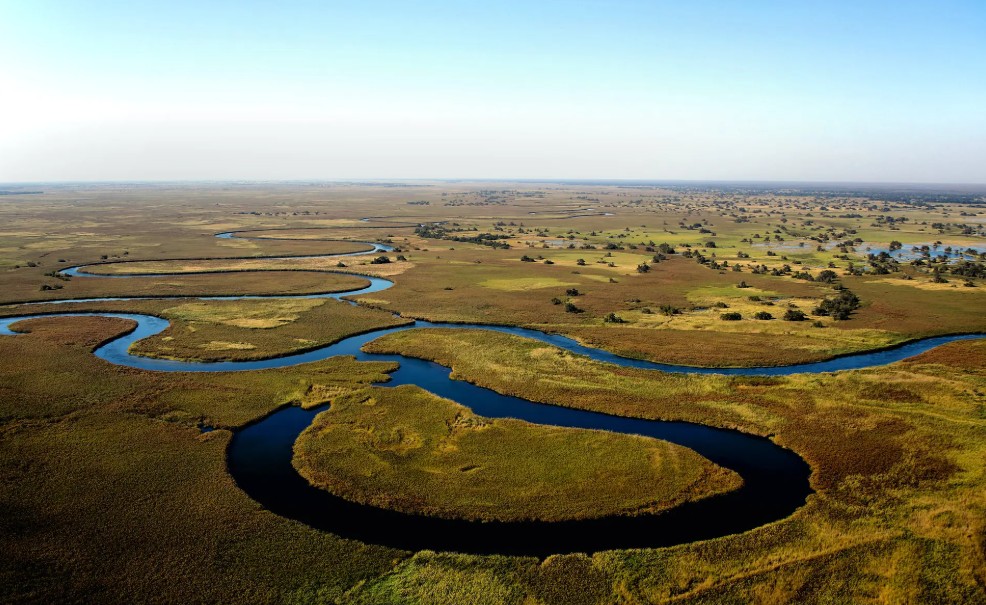
Strong, reliable signal follows the population. Gaborone, the capital, Francistown in the northeast, Maun (the gateway to the Okavango Delta), Kasane (the gateway to Chobe National Park), Palapye and Serowe all have solid 4G, and the tarred roads connecting the major towns are reasonably covered. The honest reality is that Botswana is enormous and largely empty, and that emptiness is the whole point of visiting. Inside the Okavango Delta, the Moremi Game Reserve, the Central Kalahari Game Reserve, Nxai Pan and the Makgadikgadi salt pans you should expect little to no signal — many camps run on satellite for their own communications, and self-drivers cross genuinely long stretches with nothing at all. The Kasane-to-Maun road, the Trans-Kalahari corridor and the remote border crossings are similarly patchy once you leave the towns. Treat connectivity as a town-and-camp-edge thing, download offline maps for every leg, and tell someone your route before you head into a reserve.
How much data you'll need
Safari travel is surprisingly light on data, partly because you're often off-grid anyway. In and around the towns you'll use Google Maps, WhatsApp (the default way lodges, guides and transfer drivers communicate in Botswana), email to confirm bookings, and photo and video backups at the end of each day. Rough guide: a short Chobe-and-Victoria-Falls-side trip is fine on ~3-5 GB; a one-to-two-week safari with town stops and regular photo backups lands around ~8-15 GB; remote workers should size up but accept there will be days with no connection inside the reserves regardless of plan. The live options are in the plans above — a mid-size bundle with the freedom to top up between drives is the sensible play, and it's better to under-buy and top up than to pay for data you'll never use in the bush.
Self-driving the salt pans or the Delta panhandle?
If you're renting a 4x4 and doing your own route rather than being chauffeured camp-to-camp, the connectivity picture changes from "mostly fine" to "plan for silence". Stretches like the Maun-to-Kasane transit through Chobe, the tracks across the Makgadikgadi and Nxai pans, and the deep Delta panhandle can leave you with no bars for hours at a time. Save your full route offline in Google Maps and a backup app like maps.me, note your fuel stops, and treat the eSIM as your tool for the town and lodge-edge moments — checking in, confirming the next night's booking, backing up photos over a coffee — rather than as live navigation across the wilderness. A satellite messenger is the genuine safety layer out there; the eSIM is for everything else.
Keep your number and WhatsApp
You don't have to swap out your home number to get Botswanan data. A recent dual-SIM phone runs the eSIM alongside your usual SIM: the eSIM carries data while your normal number keeps calls, SMS and the bank one-time codes you'll need for online payments, and WhatsApp — which is how almost everyone in the safari trade coordinates pickups and changes — stays on your existing number. Just turn data roaming OFF on the home SIM so it can't quietly charge you in the background while the eSIM handles everything.
Before you fly
Confirm your phone is eSIM-ready — most iPhones from the XR onward, plus recent Samsung, Pixel and Honor models; our compatibility checker takes a few seconds. Install on home Wi-Fi before you depart; the plan stays dormant and starts when you first connect, so early setup costs nothing. It activates on arrival at Sir Seretse Khama International in Gaborone (GBE), or at Maun (MUB) and Kasane (BBK) — the airports most safari travellers actually fly into. If you're combining Botswana with a wider Southern Africa loop, check whether a regional plan covering neighbouring countries fits your route before settling on a single-country option.